If you’ve ever hovered over that “Post a job” button on LinkedIn and paused, wondering, “How much is this going to cost me really?”, you’re not alone. Recruiters, founders, HR managers, and even solo entrepreneurs all face the same question: is LinkedIn job posting cost justified compared to other platforms? And more importantly, how do you control it?
This guide breaks LinkedIn job posting cost down in a simple, practical way. You’ll see what’s free, what’s paid, how pricing actually works, and how to keep your hiring budget under control while still attracting serious candidates in 2026. Think of this as your LinkedIn hiring bill decoded.
What Is a LinkedIn Job Post and Why Do Companies Pay For It?
Before we talk money, let’s get clear on what you’re paying for.
A LinkedIn job post is basically your online vacancy ad shown to professionals who match your role. You can:
-
Describe the role, responsibilities, and salary (if you choose).
-
Target candidates by skills, location, experience, and more.
-
Receive applications directly on LinkedIn or redirect them to your ATS/website.
So why do companies pay for posting?
Because LinkedIn isn’t just another job portal; it’s a professional network with detailed profiles, endorsements, connections, and activity. You’re not just seeing a CV—you’re seeing the person’s professional story. That extra context often means better hire quality, which is why many employers accept the higher cost.
Free vs Paid: Two Ways to Post Jobs on LinkedIn
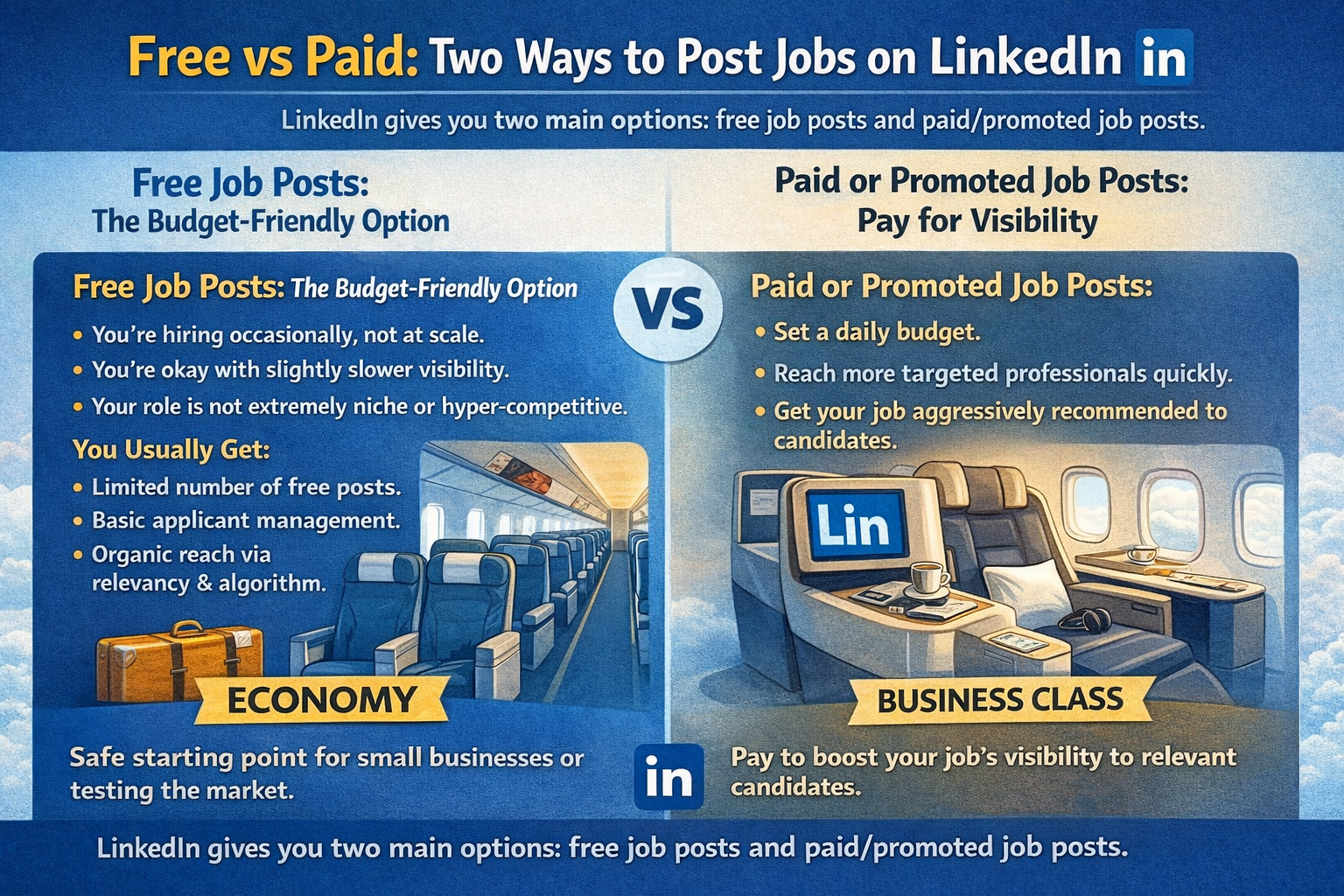
LinkedIn gives you two main options: free job posts and paid/promoted job posts. Let’s treat them like economy and business class.
Free Job Posts: The Budget-Friendly Option
Free job posts are ideal if:
-
You’re hiring occasionally, not at scale.
-
You’re okay with slightly slower visibility.
-
Your role is not extremely niche or hyper‑competitive.
With free posts, your job can still be found via search, recommendations, and some organic reach. But you’ll be competing with lots of other listings, and you don’t control reach through a budget.
You usually get:
-
One or a very limited number of free posts at a time.
-
Basic applicant management through LinkedIn.
-
Organic reach based on relevancy and LinkedIn’s algorithm.
If you’re a small business or testing the market for a role, this is a safe starting point.
Paid or Promoted Job Posts: Pay for Visibility
Paid/promo job posts are the upgrade. You pay to show your job more often and more prominently to relevant candidates.
With promoted posts, you can:
-
Set a daily budget.
-
Reach more targeted professionals quickly.
-
Get your job recommended aggressively to active and passive candidates.
This is where LinkedIn job posting cost comes in—and where most people start asking, “How exactly is this calculated?”
How LinkedIn Job Posting Cost Is Calculated
LinkedIn doesn’t use a flat, fixed fee for most self‑serve promoted job posts. Instead, it works more like advertising.
Pay-Per-Click / Pay-Per-View Model
For promoted job posts, LinkedIn typically uses a pay‑per‑click or pay‑per‑view model. In practice:
-
You set a daily budget (for example, 10 USD per day).
-
LinkedIn shows your job to relevant people.
-
You’re charged based on the number of clicks or views your job receives, up to your daily cap.
You’re not paying just to “have” the post—you’re paying for exposure and engagement.
What Factors Influence LinkedIn Job Posting Cost?
Your actual cost depends on several factors, including:
-
Location of the job: Hiring in major tech hubs or big cities is often more expensive because competition for talent is higher.
-
Job title and industry: Competitive roles (like software engineers, data scientists, senior managers) tend to cost more per click.
-
Number of similar job posts: The more companies promoting similar jobs, the more the price can rise.
-
Your daily budget: You control the cap, but cost per click will fluctuate within that.
Think of it like surge pricing in ride‑hailing apps: the busier the “talent traffic” in your niche and location, the more competitive the pricing.
Daily Budget: How Much Should You Plan to Spend?
When you promote a job, LinkedIn will usually ask you to set a daily budget. This is your main control lever.
Typical Daily Budget Ranges
Many employers start with modest daily budgets (for example, around 10 USD per day) and run campaigns for 15–30 days to test performance. The total cost is then daily budget × number of days, capped by LinkedIn’s rules.
You may see patterns like:
-
Lower budgets for junior or general roles.
-
Higher budgets for senior, highly specialised, or urgent positions.
While the platform might suggest a range based on your role and market, you still decide how aggressive you want to be.
Billing Safeguards and Limits
LinkedIn usually has safeguards so you don’t get hit with a shock bill:
-
It won’t charge more than your overall budget cap over the full campaign.
-
If one day goes slightly over, later days are adjusted.
-
When your total budget is used, your job promotion pauses automatically.
So if you set a 30‑day budget with a specific daily amount, your total spend won’t blow past that total—think of it like a pre‑decided fuel tank size.
Contract-Based and Advanced Hiring Solutions (For Heavy Users)
If you’re hiring at scale or continuously recruiting, you may see more advanced options beyond simple self‑serve posts.
Contract-Based Job Posting and Hiring Packages
For large companies with constant hiring needs, LinkedIn may offer contract‑based solutions where:
-
You sign a 6‑month or 12‑month agreement.
-
You pay based on qualified candidates or higher‑touch recruitment options.
-
You get premium exposure and support from LinkedIn’s team.
These options can be significantly more expensive per job but may make sense if you’re doing volume hiring and need consistent pipeline.
LinkedIn Recruiter and Premium Hiring Tools
Beyond job posts, there are separate tools like LinkedIn Recruiter or Recruiter Lite that:
-
Let you proactively search, filter, and InMail potential candidates.
-
Charge monthly or annual subscription fees per seat or license.
Important: these are in addition to posting costs, not a replacement. Many bigger teams use both: promoted posts to attract applicants plus Recruiter tools to headhunt.
Hidden Costs You Might Overlook When Posting Jobs
It’s easy to look only at the direct job posting cost and miss the indirect ones.
Time Spent Managing Applications
More visibility means more applicants—which sounds great, until you’re buried under irrelevant CVs. There’s a cost to:
-
Screening unqualified applicants.
-
Communicating with candidates.
-
Scheduling interviews and follow‑ups.
If your job description is vague or targeting is broad, you might pay more and work more.
Quality vs Quantity of Candidates
A cheaper posting somewhere else might get you more applications but lower quality. LinkedIn is often used for higher‑skilled or professional roles, so:
-
You might pay more per lead.
-
But hire faster or get better fits.
The real cost isn’t just the job post—it’s the cost of a bad hire, long vacancy, or slow recruitment cycle.
How to Lower Your LinkedIn Job Posting Cost Without Losing Reach
You don’t have to accept a high bill as “just how it is.” There are ways to keep costs in check and still get quality candidates.
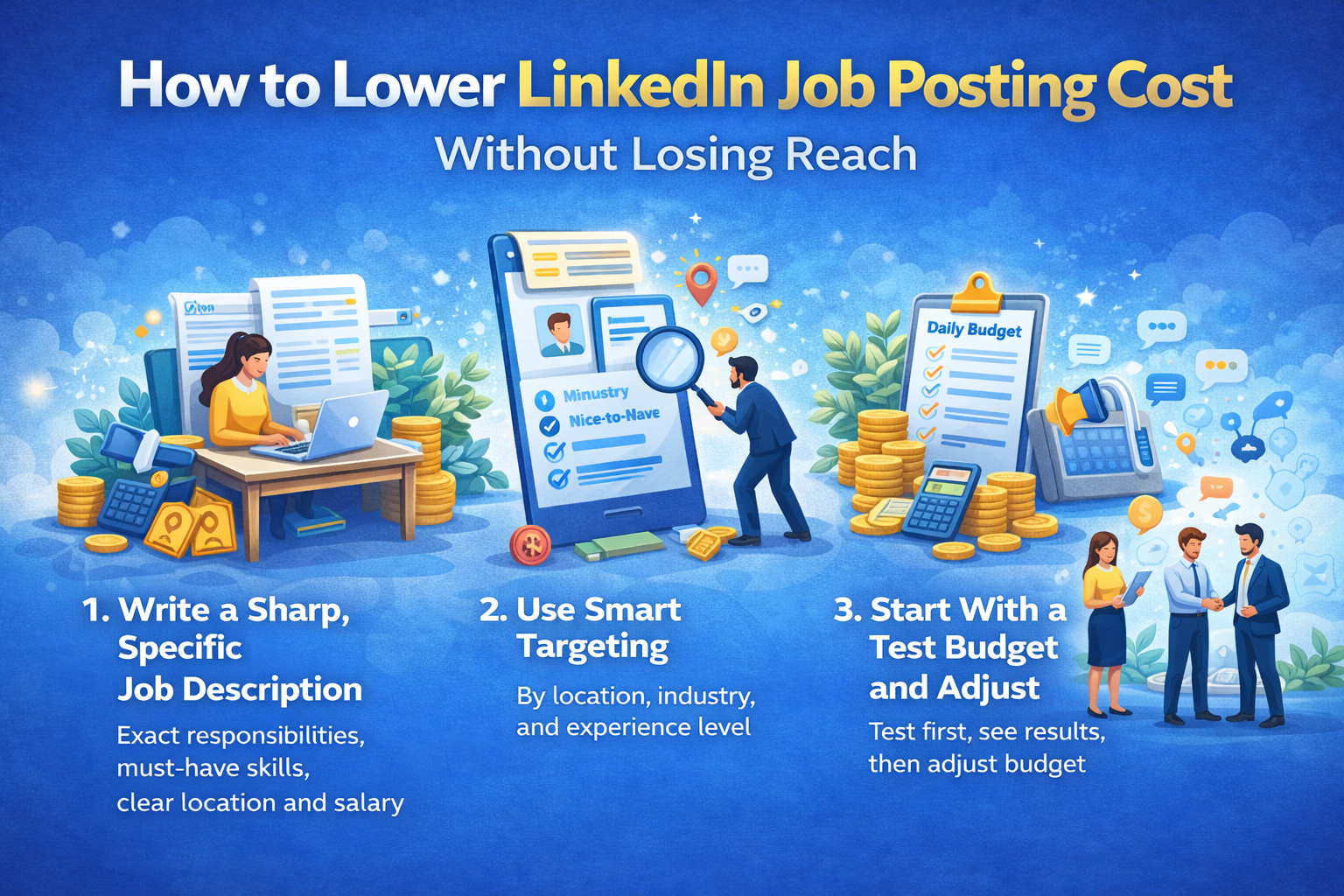
1. Write a Sharp, Specific Job Description
A vague job post attracts random people. A clear, detailed one filters for the right ones.
Include:
-
Exact responsibilities and daily tasks.
-
Must‑have vs nice‑to‑have skills.
-
Experience range and location/remote policy.
-
Clear compensation range when possible (candidates love transparency).
The more specific you are, the better LinkedIn’s algorithm can match your job to relevant profiles.
2. Use Smart Targeting (But Don’t Over‑Narrow)
Targeting allows you to focus on:
-
Location or region.
-
Industry or function.
-
Experience level or seniority.
But be careful: over‑narrow targeting can shrink your pool too much and sometimes increase costs per click because you’re fighting over a tiny slice of talent.
Aim for a balance: defined, but not suffocating.
3. Start With a Test Budget and Adjust
Instead of pouring a huge budget on day one:
-
Start with a moderate daily budget.
-
Watch how many views, clicks, and applicants you get in the first 5–7 days.
-
Increase budget for strong‑performing roles or tweak the ad for weak performers.
Treat it like a marketing campaign: test, learn, and scale, instead of praying and paying.
4. Leverage Your Network to Boost Reach for Free
Don’t rely only on the paid engine.
You can:
-
Ask your team to share the job post on their profiles.
-
Share it in relevant groups or communities.
-
Send it to your email list, alumni groups, or WhatsApp networks.
Organic sharing increases reach without increasing your bill, and referrals often give better matches.
LinkedIn Job Posting Cost vs Traditional Job Portals
A fair question: if LinkedIn is so expensive, why not just stick to the usual job portals?
When LinkedIn Is Worth the Higher Cost
LinkedIn makes sense if:
-
You’re hiring for mid‑level, senior, or specialised roles.
-
You want to see real professional history, mutual connections, and activity.
-
You need both active job seekers and passive candidates.
It’s particularly strong for:
-
Tech, marketing, product, finance, consulting, and leadership roles.
-
B2B companies recruiting professionals.
You’re paying more, but you’re fishing in a pool of relevant professionals, not just anyone uploading a resume everywhere.
When Cheaper Portals May Be Enough
Other platforms may do the job if:
-
You’re hiring for junior, entry‑level, or high‑volume roles.
-
Your budget is very tight and you’re flexible on candidate profile.
-
You already have strong internal referral and campus pipelines.
A lot of companies use a mix: LinkedIn for strategic roles, other portals for bulk hiring.
How Long Should You Run a LinkedIn Job Post?
Duration matters because cost is tied to time and daily budget.
Short, Intense Campaigns vs Longer, Steady Campaigns
You have two main approaches:
-
Short and intense: Higher daily budget for 7–10 days to get fast visibility.
-
Long and steady: Moderate daily budget for 20–30 days for more gradual reach.
Your choice depends on:
-
How urgently you need to fill the role.
-
How niche the position is.
-
How much time your team has to handle applications quickly.
If you’re desperate to fill a key role, a shorter, higher‑intensity campaign might be worth it. If you’re building a pipeline, a longer, moderate campaign makes more sense.
Best Practices to Maximize Value From Every Rupee or Dollar
Let’s tie everything together with some practical, “do‑this‑today” ideas to make your LinkedIn job posting cost work harder.
1. Align Job Title With Market Terms
Don’t get too clever with internal titles like “Marketing Ninja” or “Customer Success Rockstar.” Candidates search for “Digital Marketing Manager” or “Customer Success Executive.”
Use titles:
-
That match common search terms.
-
That reflect actual seniority.
-
That candidates understand instantly.
Better title = better visibility and more relevant clicks.
2. Use a Strong Employer Brand Profile
Your company page and recruiter profiles matter.
Candidates will check:
-
Your LinkedIn company page.
-
Your website and social presence.
-
Reviews and employee testimonials.
If your brand looks trustworthy and engaging, more candidates will click and apply—making every impression count more.
3. Respond Quickly to Good Candidates
Speed is underrated.
-
Top candidates don’t stay available for long.
-
A fast, respectful response increases your chances of a successful hire.
Every day you delay, your cost per successful hire effectively goes up.
4. Track Results and Learn From Each Post
Don’t just pay and forget.
Review:
-
How many views and clicks did you get?
-
How many applications were relevant?
-
How many hires came from LinkedIn vs other sources?
Over time, you’ll see patterns: which roles perform well, what job titles work better, which locations are expensive, and how long you should run campaigns.
Conclusion
So, is LinkedIn job posting worth the money? The honest answer: it depends on who you’re hiring and how you’re using it.
If you’re filling professional, specialised, or leadership roles and you’re serious about getting quality candidates, paying for LinkedIn visibility often makes sense. You’re not just paying to show an ad—you’re paying to access a highly targeted, professional talent pool with rich profiles and built‑in networking.
But if you treat LinkedIn like a “post and pay” job board, you’ll probably burn money and blame the platform.
Use clear job descriptions, smart targeting, controlled budgets, and proper tracking. Combine paid reach with organic sharing and a strong employer brand. Do that, and LinkedIn becomes less of a cost line and more of an investment in better, faster, smarter hiring.