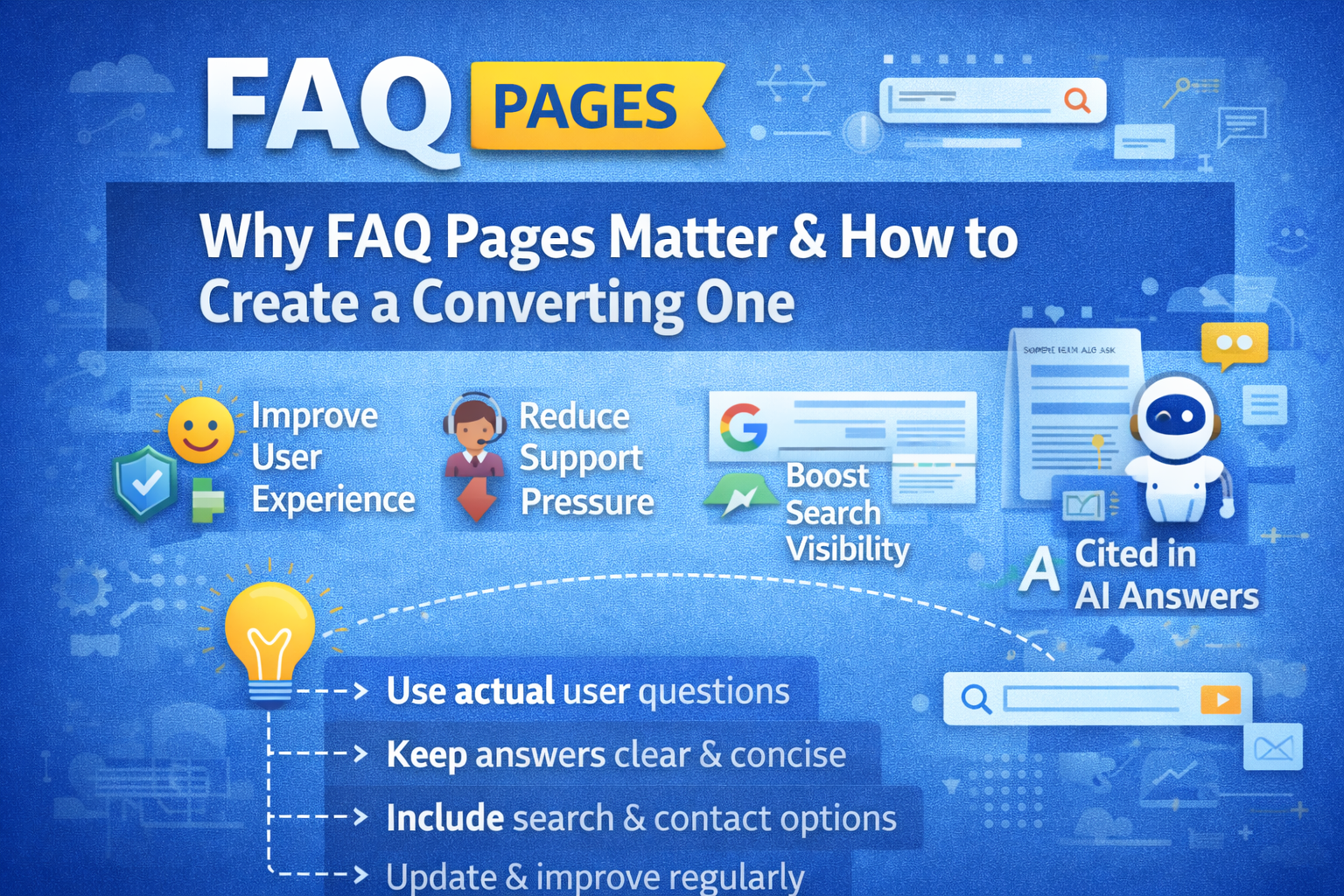
FAQ Page Template If you’ve ever clicked around a website desperately hunting for a simple answer, you already know why FAQ pages matter.
Research shows around 85% of customers rely on a company’s website as their main source of information, and more than half of them prefer self-service options like FAQ pages over reaching out to support. In a fast-paced, AI-driven world, people want quick, clear answers—without waiting in a queue or composing an email.
That’s exactly where a well-built FAQ Page Templatecomes in.
A strong FAQ Page Template does more than just answer “where’s my order?” It can:
-
Improve user experience
-
Reduce pressure on your support team
-
Boost your visibility in search results (especially Google’s “People Also Ask”)
-
Even get referenced in AI-generated answers from large language models
In this guide, we’ll walk through what FAQ Page Template are, the different types you can use, where to publish them, 18 real examples to inspire you, and best practices to create one that actually converts.
What Is an FAQ Template?
Let’s start simple.
An FAQ Page Template is a structured layout you use to present frequently asked questions and their answers on your website or other digital platforms. It acts as a reusable pattern that makes it easy to:
-
Organize questions by theme
-
Keep information consistent
-
Scale or update your FAQ Page Template over time
At its core, an FAQ Page Template aims to:
-
Answer common customer questions clearly and briefly
-
Save time—for both your visitors and your support team
-
Remove friction from the buying or onboarding journey
You’ll usually see FAQ Page Template sections grouped by topics like:
-
Account & login
-
Billing and payments
-
Shipping and returns
-
Product usage and troubleshooting
-
Policies and compliance
This structure helps users quickly scan, click, and get what they need—without raising a ticket or starting a chat.
Why FAQ Templates Matter for Customer Service
You might wonder, “If we already have live chat and email, do we really need an FAQ page?” Short answer: yes.
A good FAQ Page Template strengthens customer service in several important ways:
-
24/7 availability: Your FAQ Page Template never sleeps. Users across time zones can help themselves whenever they want—even outside your working hours.
-
Consistent information: An FAQ Page Template becomes a single source of truth. Everyone—from customers to agents—refers to the same up-to-date answers.
-
Faster resolutions: Most users don’t want a long back-and-forth. They just want a quick answer. FAQs give them that in seconds.
-
Reduced support load: When common questions are handled by your FAQ page, your support team can focus on complex or high-value issues instead.
-
Higher satisfaction: The faster and smoother the experience, the happier the customer. And happier customers come back.
Think of your FAQ as your digital front-line assistant: always ready, always consistent, never tired.
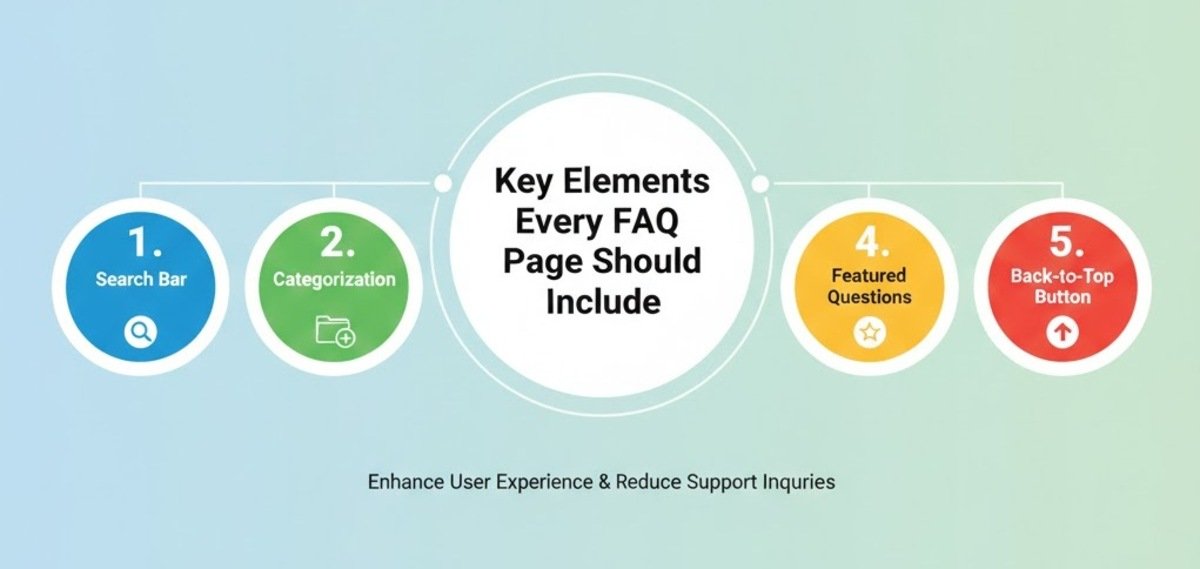
Key Elements Every FAQ Page Should Include
A list of questions and answers is a start—but it’s not enough.
To make your FAQ Page Template truly effective, it should include:
-
Clear, specific questions
Avoid vague wording. Phrase questions the way customers actually ask them. -
Concise, direct answers
Get to the point. Use simple language, short paragraphs, and bullet points when needed. -
Logical categories
Group related questions into sections like “Orders,” “Billing,” “Returns,” or “Technical Issues.” This reduces overwhelm. -
Search functionality
A search box lets users jump straight to what they’re looking for, especially on large FAQ pages. -
Links to deeper resources
If a topic is complex, link to a full guide, blog post, support article, or video tutorial instead of overloading the FAQ answer. -
Contact options
Don’t trap people in self-service. Always include a visible path to contact support if they still need help.
In short: clear questions, clean layout, quick scanning, and obvious next steps.
Where Should You Publish Your FAQ Template?
Even the best FAQ Page Template layout is useless if no one can find it. Visibility is half the battle.
Here are the main places you should consider:
Main Website Navigation
-
Add “FAQ” or “Help” to your main menu or footer.
-
This makes it discoverable from any page, especially for new visitors.
Product or Service Pages
-
Include a mini-FAQ block on specific product or service pages.
-
Address questions like “Does this work with X?”, “What’s included?”, or “How long is the warranty?” right where the buying decision happens.
Checkout or Booking Flow
-
People often hesitate at checkout due to doubts about shipping, returns, taxes, or payment methods.
-
Adding relevant FAQ Page Template or a link to your FAQ page here can reduce cart abandonment.
Customer Account Portal
-
If you have a login area, dashboard, or subscription portal, add an FAQ section there.
-
Focus on account-related issues like billing, renewals, passwords, and order history.
Social Media Profiles & Email Signatures
-
Drop an FAQ Page Template link into your bio on platforms like Instagram, X, LinkedIn, or Facebook.
-
Add it to your team’s email signatures so customers with recurring questions can self-serve faster.
The rule of thumb? Anywhere customers might feel “stuck,” you should consider placing or linking to a relevant FAQ.
Types of FAQ Templates You Can Use
FAQ layouts aren’t one-size-fits-all. Different businesses and use cases call for different structures.
Here are popular types of FAQ Page Template you can adapt:
-
General Q&A layout
A straightforward list of common questions and answers, often grouped by category. -
Product-specific FAQ
Focused on a single product or service. Great for e‑commerce, SaaS tools, or subscriptions. -
Troubleshooting FAQ
Step-by-step answers for technical or usage issues. Often used for apps, software, and hardware. -
Customer service FAQ
Centered around support processes: how to contact support, response times, escalation paths, etc. -
Policy & compliance FAQ
Covers legal or policy-focused topics like privacy, GDPR, refunds, warranties, and terms. -
Pre-purchase FAQ
Aimed at prospects who are considering buying. Answers objections and clarifies details before checkout. -
Single FAQ page
One main hub that covers all FAQ categories, often searchable. -
Homepage FAQ block
A small section on the homepage handling the top 3–5 questions to reduce friction right away. -
Blog post FAQ
FAQ sections added at the end of blog posts to address related questions and capture long-tail keywords. -
Video FAQ
Instead of text, answers are given in short videos or explainer clips. -
AI-powered FAQ / chatbot
Uses AI or rule-based chatbots to surface answers dynamically and personalize responses.
You don’t have to pick just one. Many brands mix multiple formats—e.g., a central FAQ hub plus product-page FAQs.
18 Inspiring FAQ Template Examples (And Why They Work)
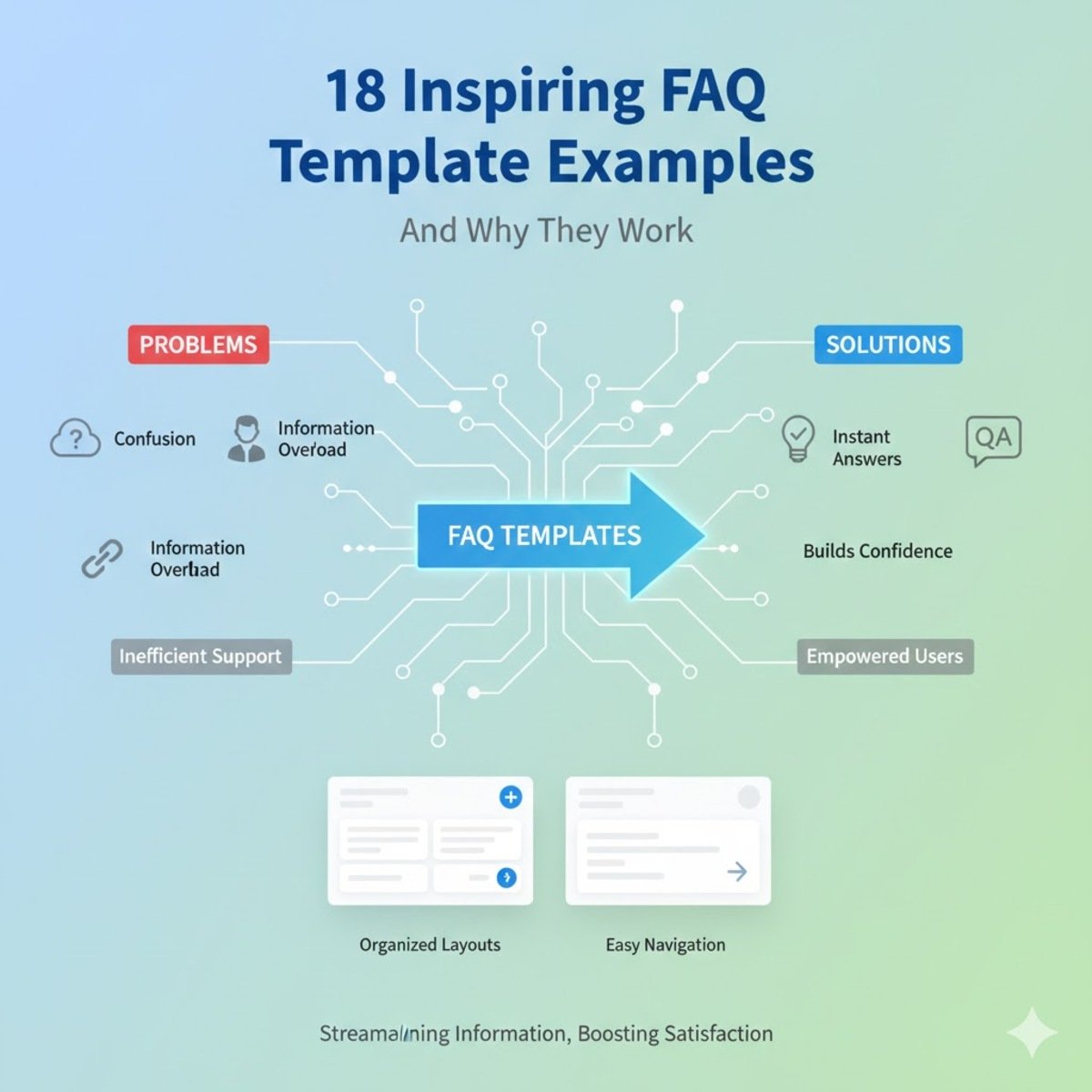
Let’s look at real-world FAQ implementations and what you can learn from them.
1. AdEspresso – Clean, Focused, and Helpful
AdEspresso, a tool for Facebook and Instagram advertising, uses a minimalist, distraction-free FAQ layout.
-
Questions are centered and easy to scan.
-
Many answers link to deeper blog posts or help articles for more detail.
-
Clear paths to other support resources are visible if users don’t find what they need.
Why it works:
The page feels light, approachable, and confidence-building instead of overwhelming. Users can quickly move from simple answers to in-depth resources.
2. Adobe Creative Cloud – Search-First Experience
Adobe Creative Cloud FAQ page puts a search bar front and center.
-
Users can type their question and get targeted answers instantly.
-
A sidebar organizes sections like billing, account management, and product features.
-
A virtual assistant adds an interactive layer for more complex queries.
Why it works:
When you have many products and complex options, search and structured navigation are crucial for speed and clarity.
3. Airbnb – Role-Based Knowledge Base
Airbnb FAQ is built like a knowledge base, split into two main segments:
-
One for hosts
-
One for guests
Each section has curated FAQs plus links to comprehensive help articles and resources. Airbnb also uses visuals and videos to simplify tricky topics like booking rules and listing management.
Why it works:
By segmenting FAQs by user type, Airbnb keeps content highly relevant. Add in community forums, and users can even help each other.
4. Airtable – Integrated Help Center
Airtable FAQ is deeply woven into its broader help center.
-
Users can search across tutorials, troubleshooting guides, and common questions.
-
Questions are grouped by logical themes, making discovery easier.
Why it works:
Searchable, cross-linked FAQs within a help center turn self-service into a smooth, guided experience.
5. Ancestry – Personalized FAQ Content
Ancestry’s FAQ template personalizes content based on the logged-in user’s account.
-
When you’re signed in, you see FAQs tailored to your test results and account setup.
-
Contextual links take you to relevant settings or tools.
Why it works:
In a niche like genealogy, where every user’s data is unique, personalization makes the FAQ feel truly useful and not generic.
6. DoggieLawn – Simple FAQ + Live Chat
DoggieLawn, an eco-friendly dog potty brand, keeps their FAQ page simple but smart.
-
Accordion drop-downs reveal answers on click, keeping the page clean.
-
A live chat option is available during business hours for users who still need help.
Why it works:
This blend of self-service and human support ensures users never feel stuck or abandoned.
7. Etsy – Split by Buyer vs Seller
Etsy divides its FAQ into:
-
A section for buyers
-
A section for sellers
On top of that:
-
A search bar at the top speeds up navigation.
-
A “Get Help with an Order” button shortcuts straight to support if needed.
Why it works:
Different user roles have very different needs. Splitting FAQs by role removes irrelevant noise and reduces confusion.
8. Fabletics – Category-Driven Organization
Fabletics, an activewear subscription brand, uses a category-based FAQ.
-
Topics include orders, returns, exchanges, membership details, and more.
-
Within each category, common questions are clearly listed and easy to scan.
-
Related questions are suggested so users can explore without extra searching.
Why it works:
This structure keeps answers focused while also surfacing additional helpful information with minimal clicks.
9. Liquid Death – On-Brand, Funny, Yet Clear
Liquid Death, a brand that sells water in tallboy cans with a punk attitude, uses humor-heavy FAQs.
-
The tone is irreverent, bold, and completely on-brand.
-
Despite the jokes, answers are still clear and informative.
-
Accordion-style sections and gold-highlighted headings improve navigation.
Why it works:
They prove your FAQ doesn’t have to be boring. You can answer real questions while reinforcing brand personality.
10. Mailchimp – Empowerment-Focused Design
Mailchimp structures its FAQ around user empowerment.
-
Clear sections for topics like billing, account setup, and email campaigns.
-
At the end of each FAQ section, users see clear ways to contact support (live chat, email, etc.).
-
Tutorials and guides are linked alongside answers.
Why it works:
Users feel supported at every step—self-service first, but with expert help a click away.
11. McDonald’s – Filters for Fast Answers
McDonald FAQ is straightforward but super efficient.
-
Questions are grouped by topic, such as nutrition, restaurant locations, and franchise options.
-
Filters let users narrow down to exactly what they need.
Why it works:
For a brand with a huge FAQ library, filters prevent endless scrolling and help users zero in on relevant info quickly.
12. Microsoft – Expandable Detailed Sections
Microsoft FAQ combines breadth and structure.
-
Covers topics from account and billing to software troubleshooting.
-
Uses expandable sections to keep the page clean without skimping on detail.
-
Provides clear pathways to contact support if needed.
Why it works:
Expandable FAQs let you offer deep information without overwhelming the page visually.
13. Nintendo – Product & Series-Based Navigation
Nintendo FAQ takes a traditional Q&A layout and optimizes it.
-
Jump-to lists help users quickly reach specific sections.
-
Topics are grouped by hardware, games, and account support.
-
Questions are also categorized by product or game series.
Why it works:
Gamers don’t want to dig. Grouping FAQs by console or title makes it easy to find exact answers fast.
14. Upwork – Smart Search and Segmentation
Upwork, a global freelancing platform, offers a very user-centric FAQ:
-
A powerful search bar suggests queries as you type.
-
Categories are divided for freelancers and clients.
-
Related topics are recommended for deeper exploration.
-
Links to support and the community are available when self-service falls short.
Why it works:
It combines smart search, role-based content, and community—all in one place.
15. Vrbo – Dual User Path with Ratings
Vrbo serves both travelers and property owners, and its FAQ reflects that.
-
Separate sections for each audience.
-
Within each, categories like booking, payments, and property management.
-
Accordion-style questions for quick scanning.
-
A rating system lets users rate whether articles were helpful.
Why it works:
User-based segmentation plus feedback loops keep the FAQ relevant and continuously improving.
16. Wandering Bear – Fun, Friendly, and Informative
Wandering Bear Coffee leans into its quirky brand voice.
-
The FAQ is humorous and playful, even when discussing shipping or product details.
-
Answers are still clear, structured, and practical.
-
Links to product guides and extra resources add value.
Why it works:
They turn a potentially dry page into an on-brand experience that both entertains and informs.
17. WhatsApp – Simple Table of Contents
WhatsApp’s FAQ is clean and intuitive.
-
A drop-down table of contents helps users jump straight to relevant sections (features, privacy, security, etc.).
-
A sidebar shows popular topics.
-
A search bar lets users find specific answers quickly.
Why it works:
Simple structure + good search = minimal friction for users in a hurry.
18. Wistia – Floating Support Footer
Wistia, a video hosting platform, adds a clever twist.
-
The FAQ page includes a floating footer with a search bar and a support ticket button.
-
Content is broken into categories like video management, analytics, and integrations.
-
CTA buttons are placed strategically.
Why it works:
Users always have easy access to search or direct support, no matter where they are on the page.
How to Create an FAQ Page: 5 Best Practices
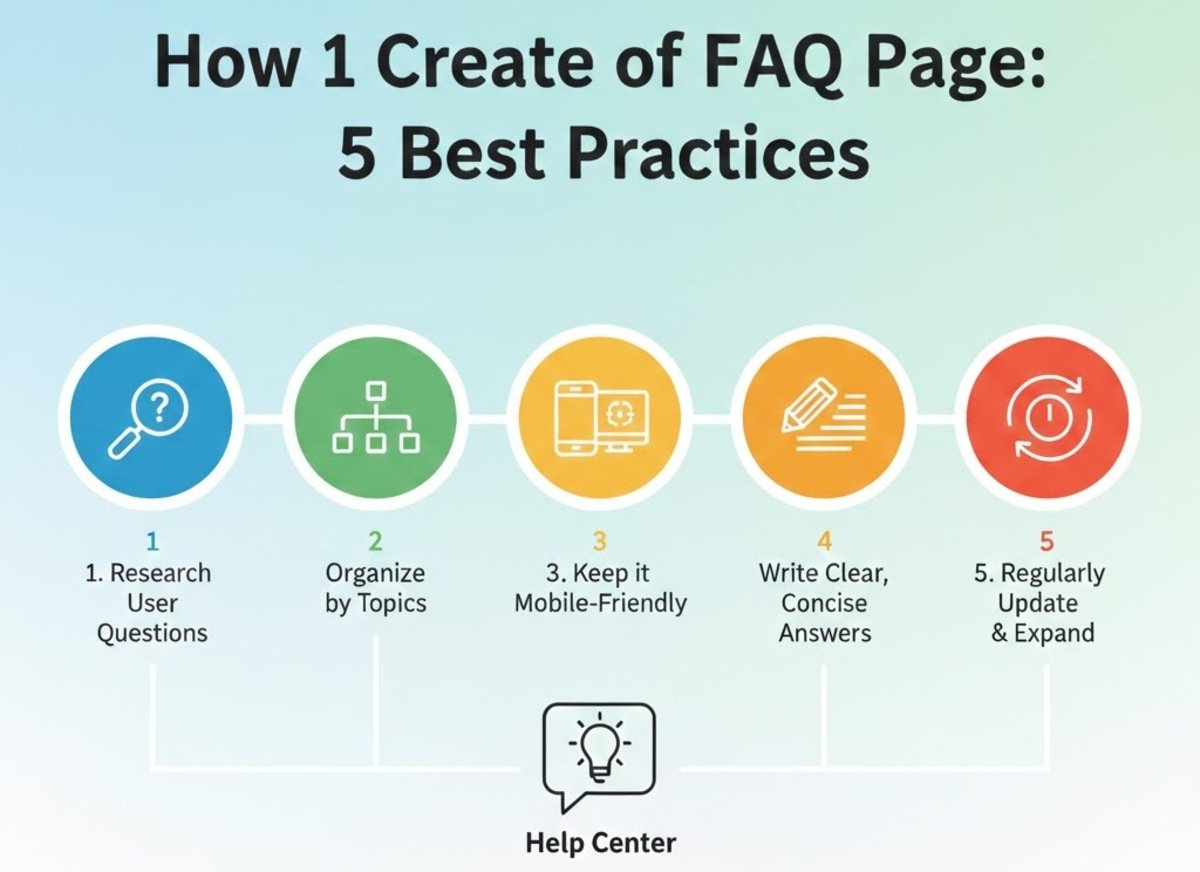
Creating an FAQ page isn’t just about dumping questions onto a page. Here’s how to do it right.
1. Use Data to Decide What to Include
Don’t guess which questions to cover. Look at:
-
Google Analytics and Search Console queries
-
Support tickets and chat transcripts
-
Sales team notes and common objections
-
On-site search logs
This tells you what people actually ask, not what you think they ask.
2. Keep It Simple and Clear
Resist the urge to over-explain everything on the FAQ itself.
-
Answer in plain language.
-
Avoid jargon unless your audience really expects it.
-
If the topic is complex, give a high-level answer and link to a detailed resource.
Clarity beats cleverness every time.
3. Make It Mobile-Friendly
Many users will land on your FAQ from their phones.
-
Use responsive design.
-
Avoid tiny fonts and cramped layouts.
-
Ensure accordions, tabs, and search bars work smoothly on touch screens.
If it’s painful on mobile, you’ll lose people fast.
4. Always Offer Contact Options
An FAQ page should reduce support requests—not replace human support entirely.
-
Add “Still need help?” sections with links to chat, email, or phone.
-
Make contact methods obvious and easy to use.
Some users want the reassurance of a human, especially with billing or sensitive issues.
5. Monitor, Measure, and Improve
An FAQ page is a living asset, not a one-time project.
-
Track which questions get the most views.
-
See where users bounce or keep searching.
-
Update content when products, policies, or prices change.
-
Add new questions when you spot recurring patterns in support.
The best FAQ pages evolve alongside your business and your customers.
Common FAQ Page Mistakes to Avoid
To make sure your FAQ helps instead of hurts, steer clear of these pitfalls:
-
Overloading with text
Long, dense paragraphs turn people off. Keep answers tight and link out to longer content when needed. -
Poor organization
A random list of questions is a nightmare to navigate. Use categories, headings, and search. -
Outdated information
Old policies, expired offers, and incorrect instructions destroy trust. Refresh regularly. -
No search or filters on large FAQs
Once your FAQ grows, users need tools to narrow things down.
Get these basics right, and you’re already ahead of many sites.
Beyond Support: FAQs as a Growth and SEO Asset
Here’s the part many brands underestimate: a smart FAQ page isn’t just good for support—it’s powerful for SEO and conversions too.
-
FAQs naturally target long-tail, question-based keywords.
-
They can help you rank in “People Also Ask” boxes and featured snippets.
-
Well-structured FAQ schema (if implemented) can enhance your visibility in search results.
-
Addressing objections and clarifying details near key conversion pages can directly improve your sales or signups.
In other words, a good FAQ page doesn’t just answer questions—it helps close deals.
Conclusion
FAQ Page Template might seem simple on the surface, but when you dig deeper, they’re one of the most strategic tools on your website.
They educate., reassure, reduce friction, support your SEO, protect your support team’s time.
Whether you’re running a SaaS platform, an online store, or a global marketplace, a thoughtfully designed FAQ template is no longer optional—it’s expected.
Start with your users’ real questions.
Organize them clearly.
Keep everything accurate and up to date.
And always leave a door open to human help.
Do that, and your FAQ stops being a boring afterthought and becomes a core part of your customer experience.
So ask yourself: if a new visitor landed on your site with three burning questions right now, how many clicks—and how much frustration—would it take for them to find the answers? If the honest answer is “too many,” your next move is clear: it’s time to upgrade your FAQ.